Guide · Premium
How to use the AI Tutor
The AI Tutor explains a question step by step, at the level of detail you choose. It only uses verified material from your syllabus: when it has none, it tells you instead of making something up.
Where to find it
There is no «Tutor» tab at the bottom: the tutor always opens from a question, in three places in the app.
- 1
In Practice, on the question
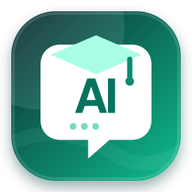
It's the button under the bookmark, to the left of the question text: a green icon with an «AI» speech bubble and the label «AI Tutor» under it. Until you open it for the first time, it pulses. If you see a small purple square with sparkles and no label, your app is out of date: update it. It works before you answer, and in offline practice too.
Updated appOld version - 2
In a simulation review
After you submit, open the review: under each question's options there's the purple «Ask the AI Tutor» button.
- 3
In the mistake notebook
Open the «Mistake notebook» and tap a question you got wrong: the «Ask the AI Tutor» button is at the bottom of the card.
Three levels of detail
The tutor starts at «Standard». Under the explanation, in «Detail level», you can switch to the other two:
- Simpler
- The correct answer and the short explanation. For when you just need to see what to pick.
- Standard
- The full explanation and, where a verified reason exists, why the right answer is right.
- More in depth
- Also why each wrong option is wrong (where a verified reason exists), and the syllabus objective the question belongs to.
The first time you open a level it can take a few seconds.
How to get the most out of it
- After a mistake, open «Simpler» first, then «More in depth»: the second read shows you the trap in the wrong options, which is the one you'll meet again in the exam.
- Use it on questions you got right by luck, not only on wrong ones: in Practice it works before you answer.
- Rate the explanation «Helpful», «Not very helpful» or «Incorrect». «Incorrect» flags the explanation for a check.
- Explanations you have already opened stay on your phone and can be read offline.
What it doesn't do
- It isn't a chat: you can't type free questions; it explains the question you open it from.
- It works on questions from your own path: the ones you met in Practice, in submitted simulations and in the mistake notebook.
- It isn't available during a running simulation: it comes in the review, after you submit.
- If a question has no approved material, it says so and does not invent an explanation.
The AI Tutor is included in Premium. On the free plan the button is there, and tapping it shows how to unlock it.
Something not working? Write to us